Background
Ajaib Securities is one of Indonesia's largest stock trading and investing platforms. It's also the fastest Southeast Asian startup to reach unicorn status, achieving this milestone in just two years. We offer a variety of features and products to support traders and investors, including the classic Auto Trade feature. However, after 1.5 years since its launch, we realized that the adoption performance of our Auto Trade feature was stagnant.

Chapter 0. Synopsis
Problem statement
Despite the release of Ajaib's Auto Trade feature, adoption remained stagnant at around 10%, and the conversion rate of the feature was below 50%.
Research and insights
Users found the feature complex due to unclear UI and confusing signage.
Over 50% of users misused the feature, resulting in incorrect trades.
Solutions overview
Redesigned the interface to remove complex signage, allowing users to set prices easily.
Implemented a step-by-step guide for new users.
Chapter 1. Understand
Research, interview and data
Starting this project involved understanding how users perceive our feature and their behavior while using our product. We conducted three different types of research to strengthen our hypothesis.
We gained insights that current users were confused about how to set up the rules for Auto Trade.
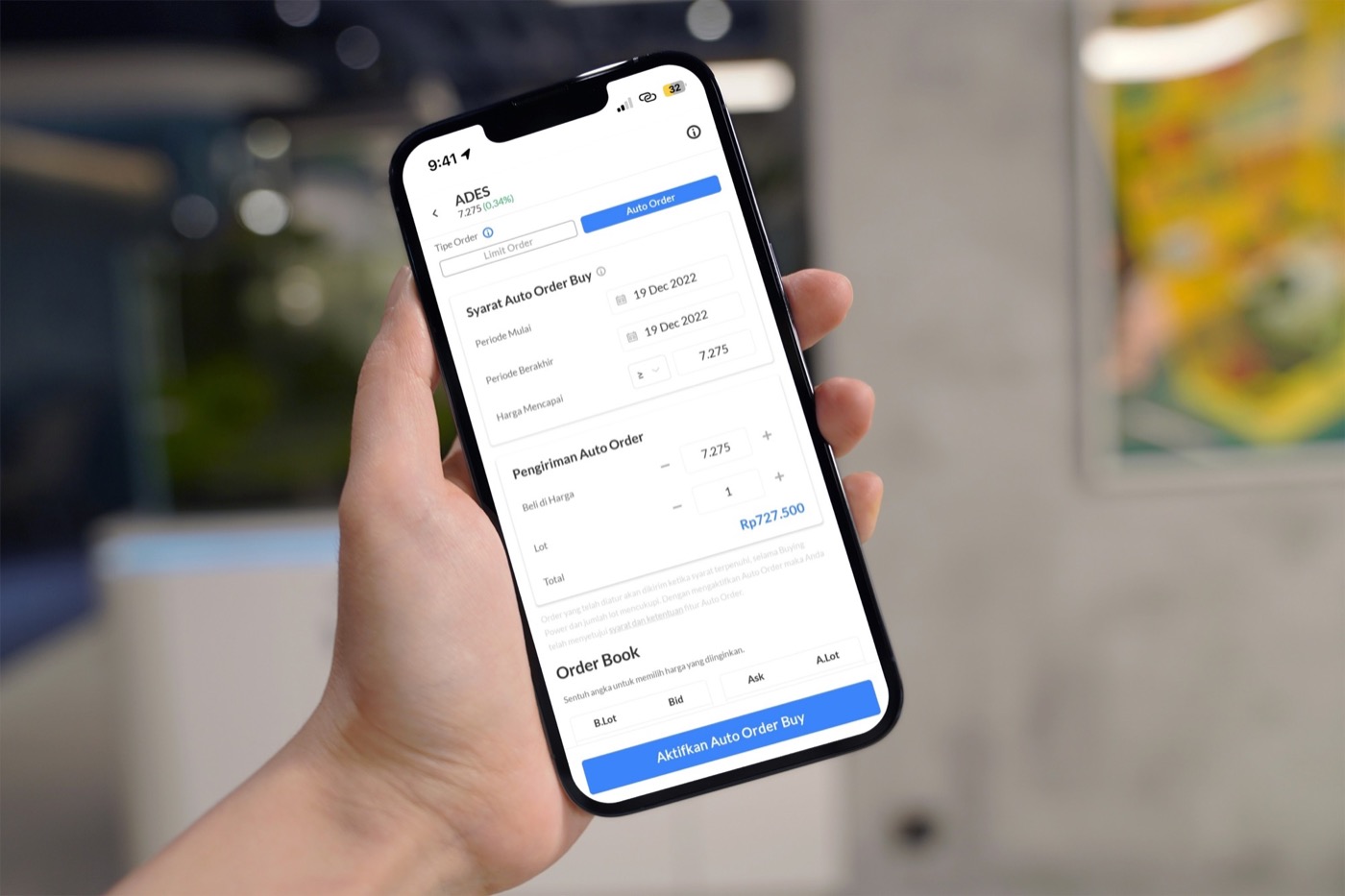
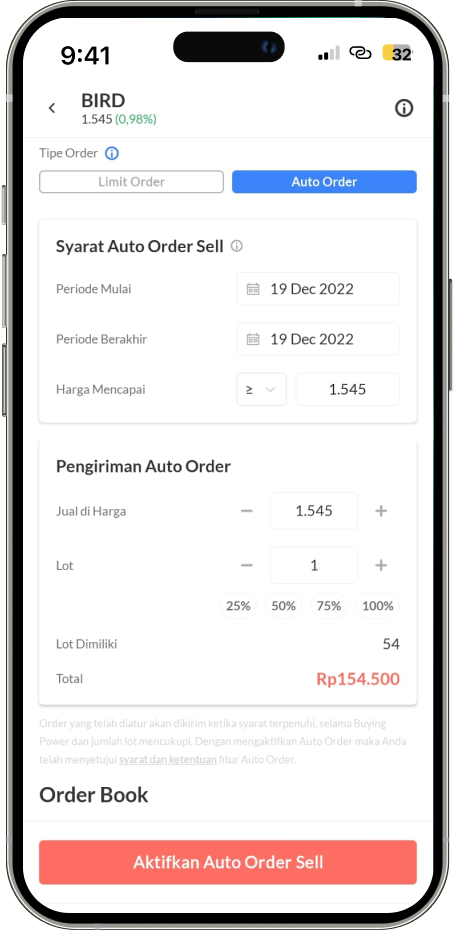
We learned that users often created incorrect rule sets to trigger the Auto Trade order due to confusing trigger price rules using ≤ and ≥ symbols. Other user-friendly platforms do not use these symbols.
We reviewed data from the product's launch to recent times on how users usually set the trigger price rules. It turns out more than 50% of users set the trigger price the same as the order price they want. This suggests that users do not fully understand how to utilize the feature and opt for the safe options.
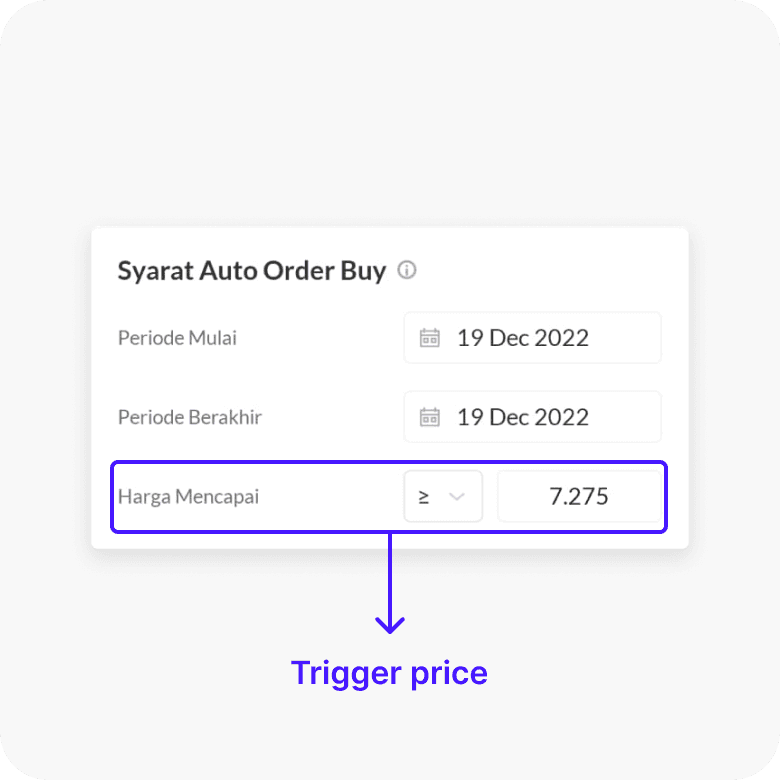
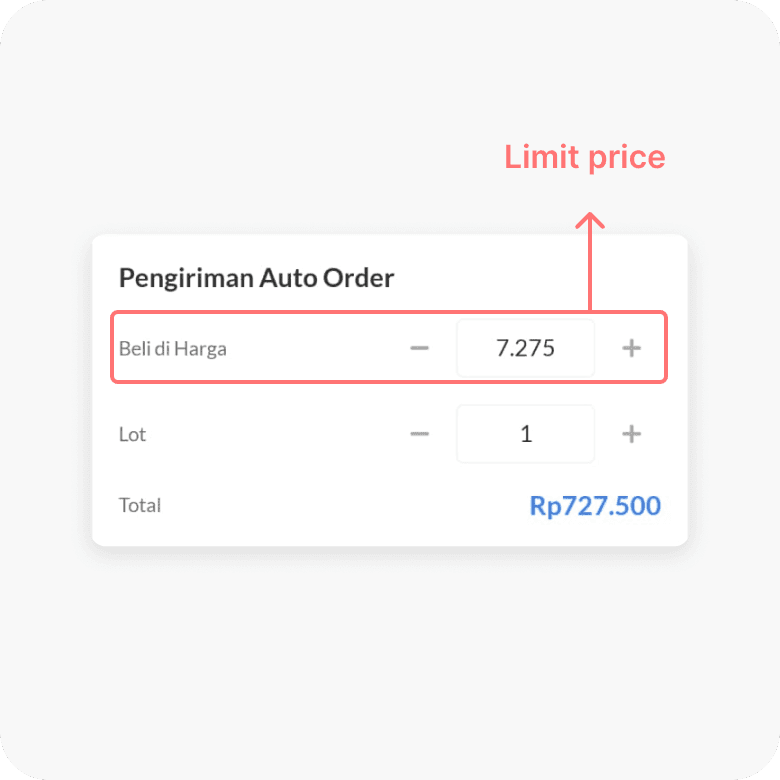
We took all the data from the first time launch of the product until recent on how they usually set the trigger price rules. Turns out more than 50% users set the trigger price same as order price they want to get. This sparks more hypothesis that current user don't know how to fully utilize the feature and go with the safe options.
This is the specific price at which you want to buy or sell a stock. For buying, it's the highest price you're willing to pay, and for selling, it's the lowest price you're willing to accept. It's like saying you will buy a product only if you can get it for a certain price or less, or sell it only if you can get a certain price or more.
Problem statement
50% of the feature adopters chose to set the trigger price the same as the limit/order price because they don't have the technical skill to create good trigger rules, causing the conversion rate of the order to be below 50%.
Chapter 2. Craft
The solutions
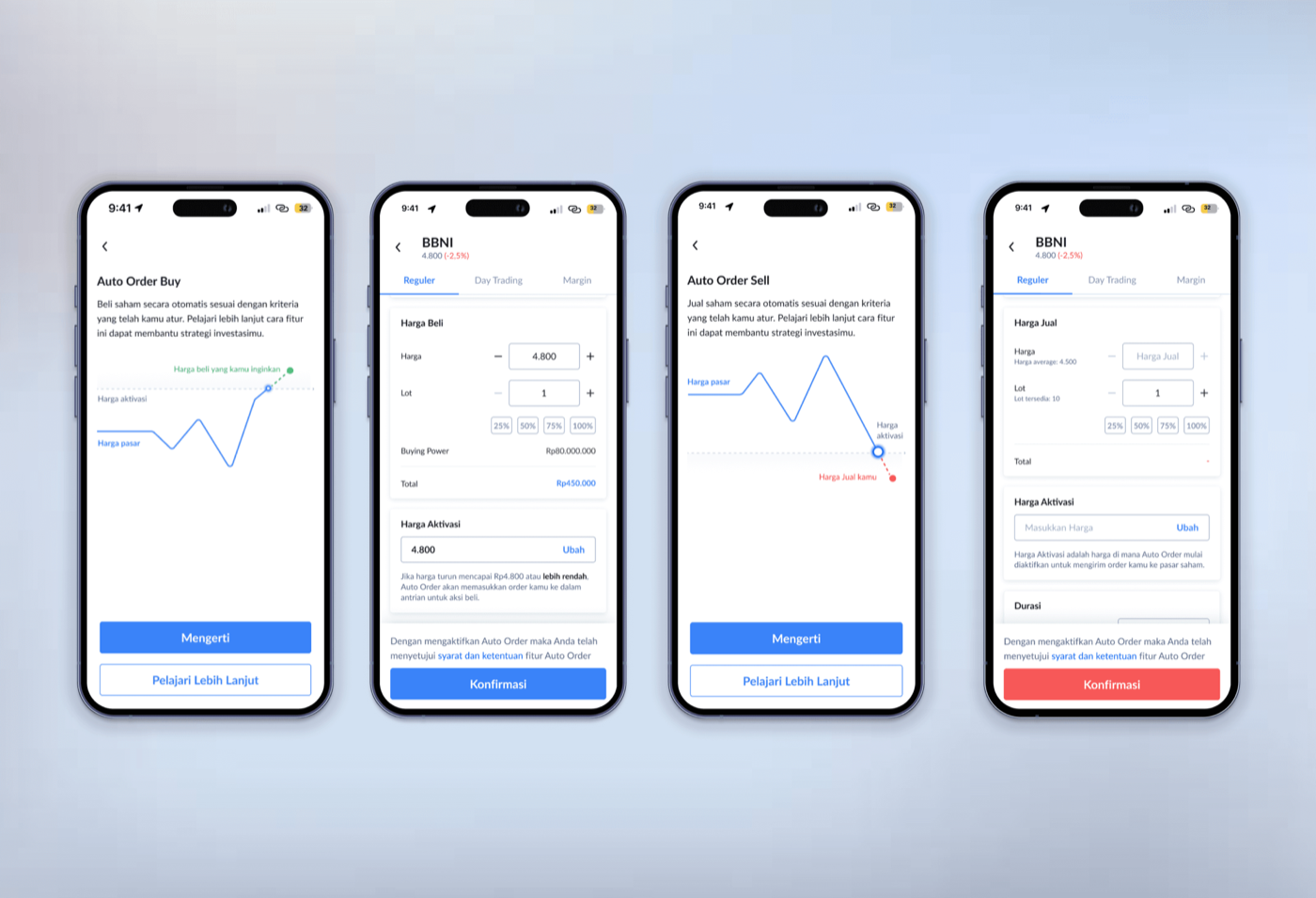
After extensive brainstorming sessions, I came up with an experimental idea. As the data indicated, users struggled with the conditions due to the ≤ and ≥ symbols. I aimed to simplify this by allowing users to input the price without needing to think about the symbols.
Focusing on what matters
With data confirming our hypothesis that users have trouble setting up rules for the trigger price, it was clear we needed to make this experience easier for everyone. We prepared two steps for easier auto trading.
Solutions 1
Auto trade that automatically helps you
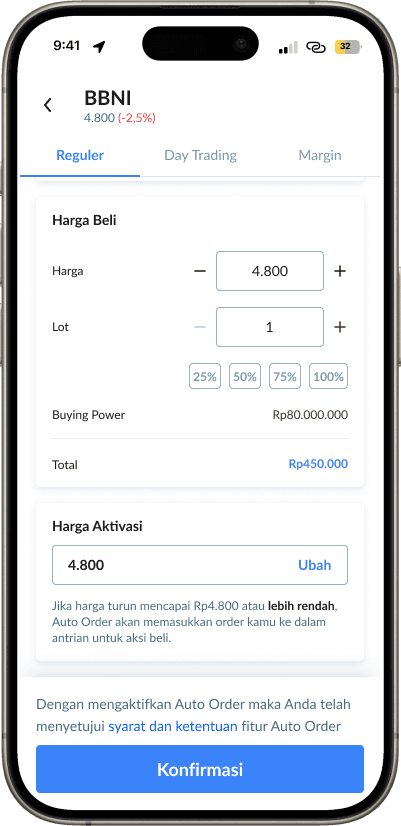
Now, any trader, no matter how inexperienced, can use Auto Trade effectively. Just input the desired order price, and we'll take care of the rest. Trade with comfort and confidence. You can still craft your own trading plan as usual, with no limitations on any type of trader.
Auto generated trigger price
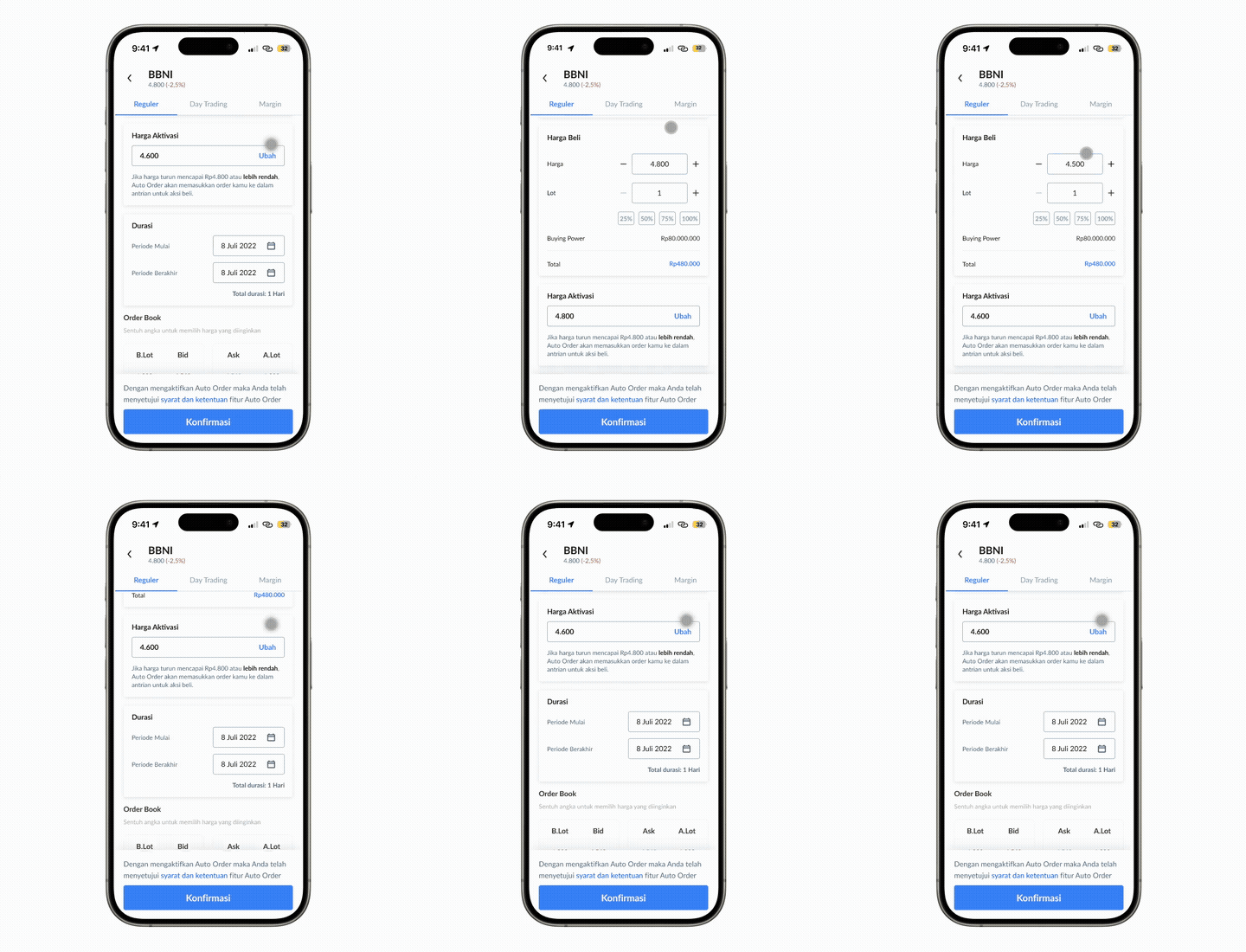
Breaking the status quo, our Auto Trade feature generates the trigger price to follow the market, creating the best situation for you at that moment.
Solutions 2
Not just a feature but a helpful guidance
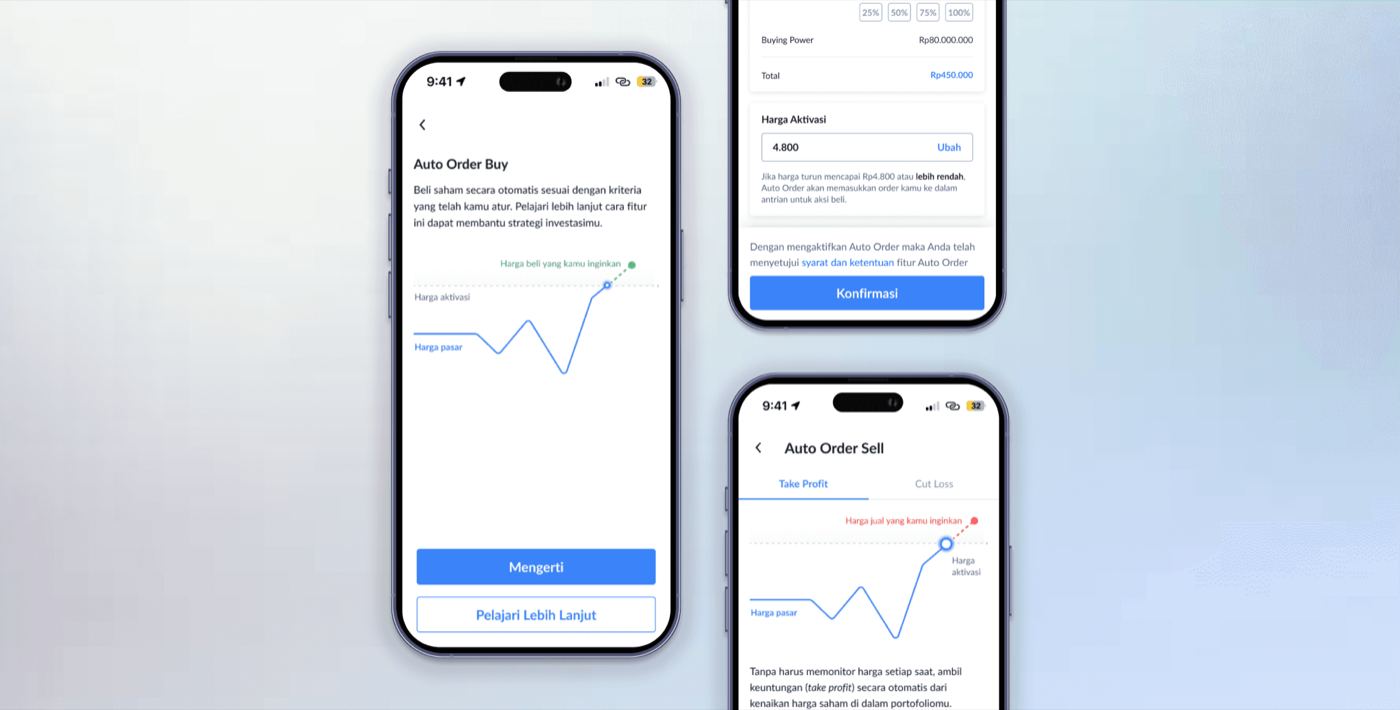
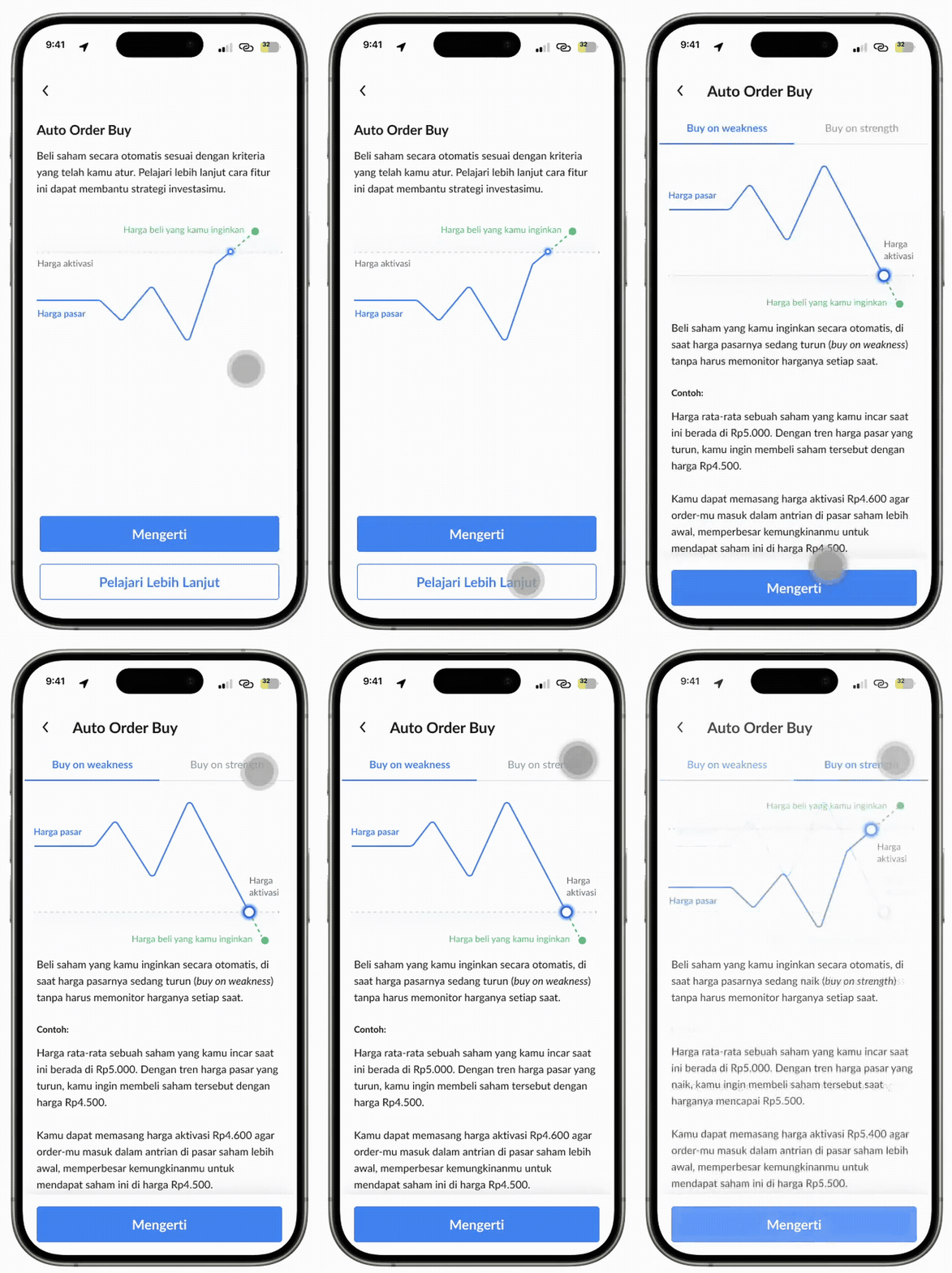
We redesigned the content and layout for the onboarding page to make it visually fresher and more appealing, with much more content to help new users understand how to utilize the Auto Trade feature.
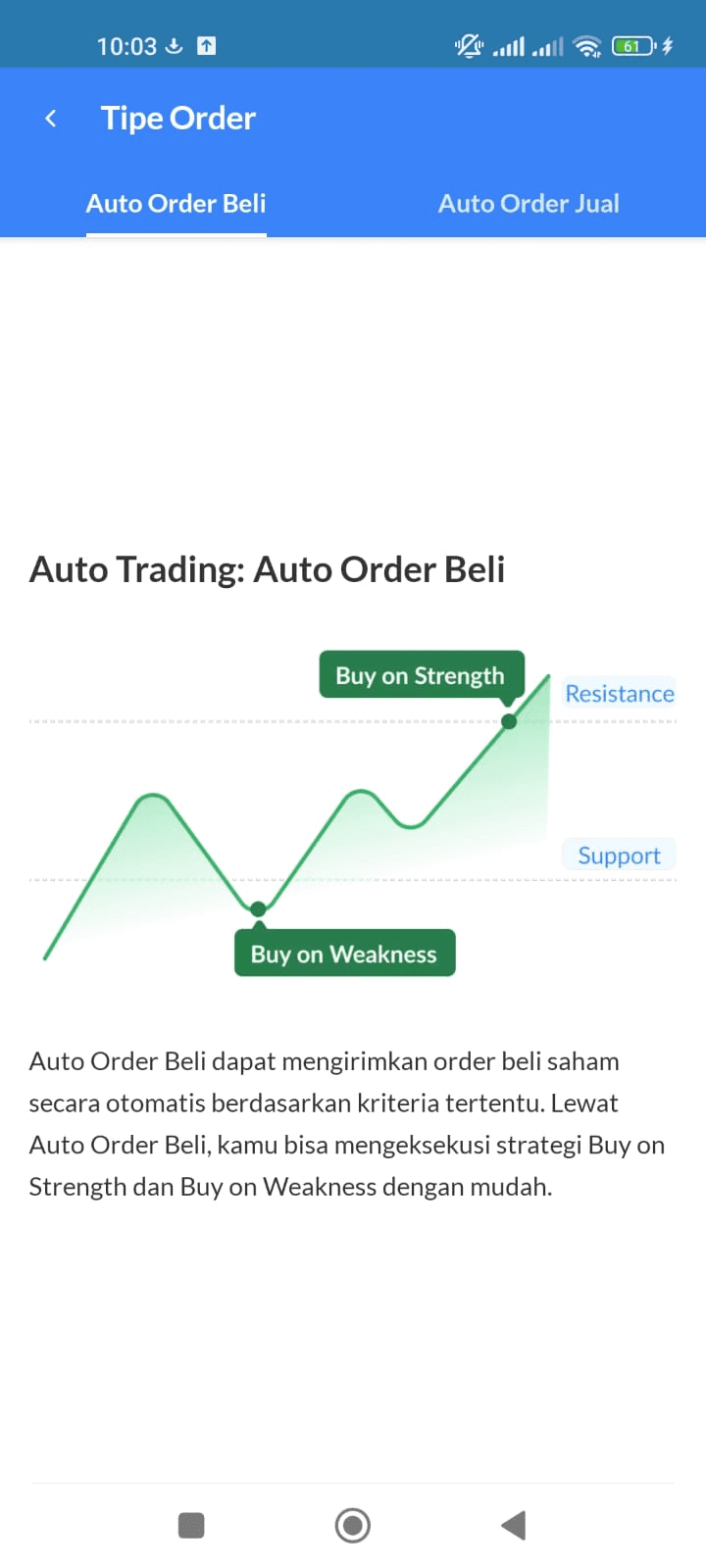
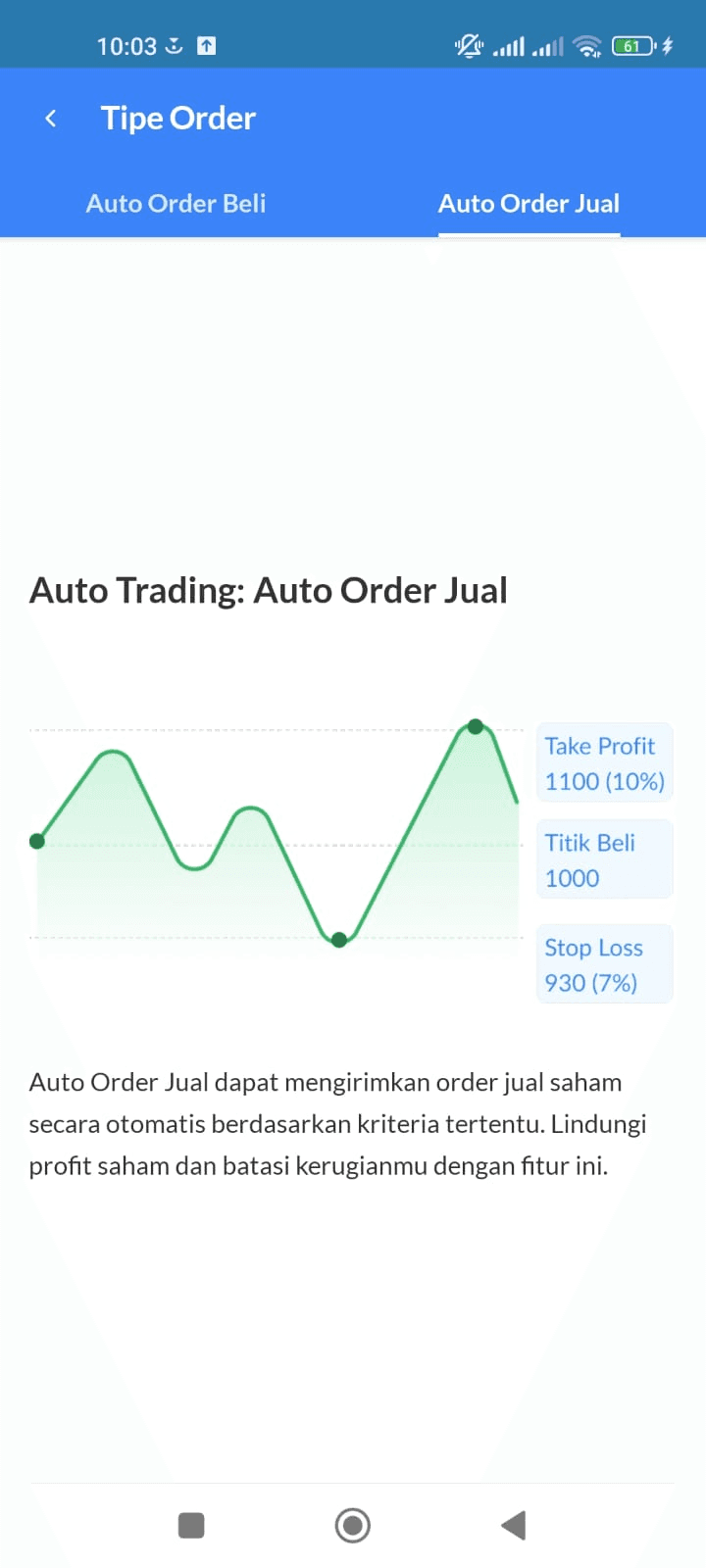
From this
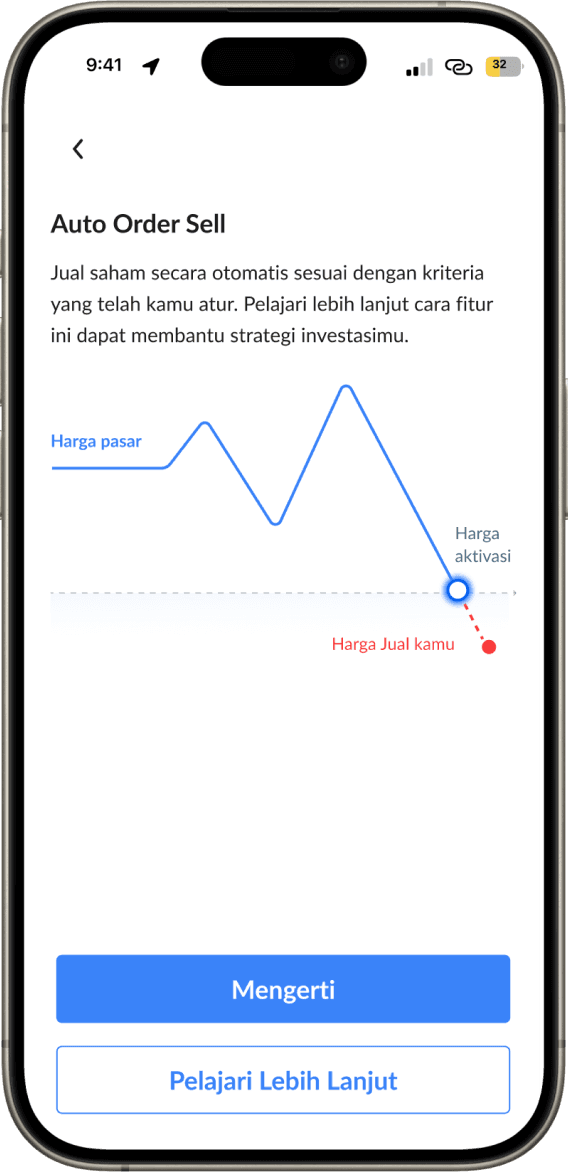
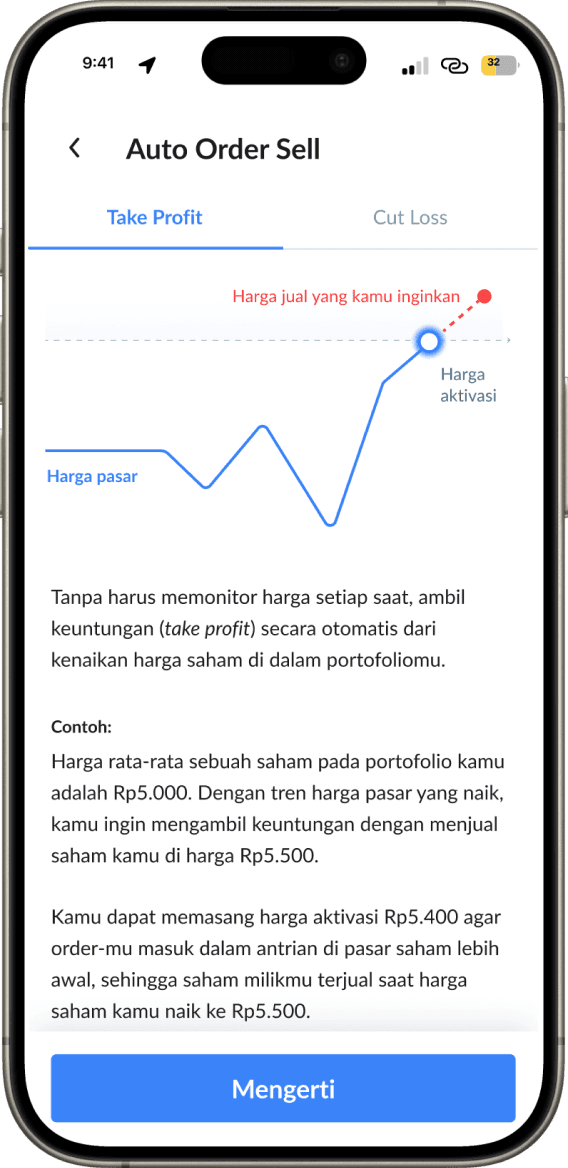
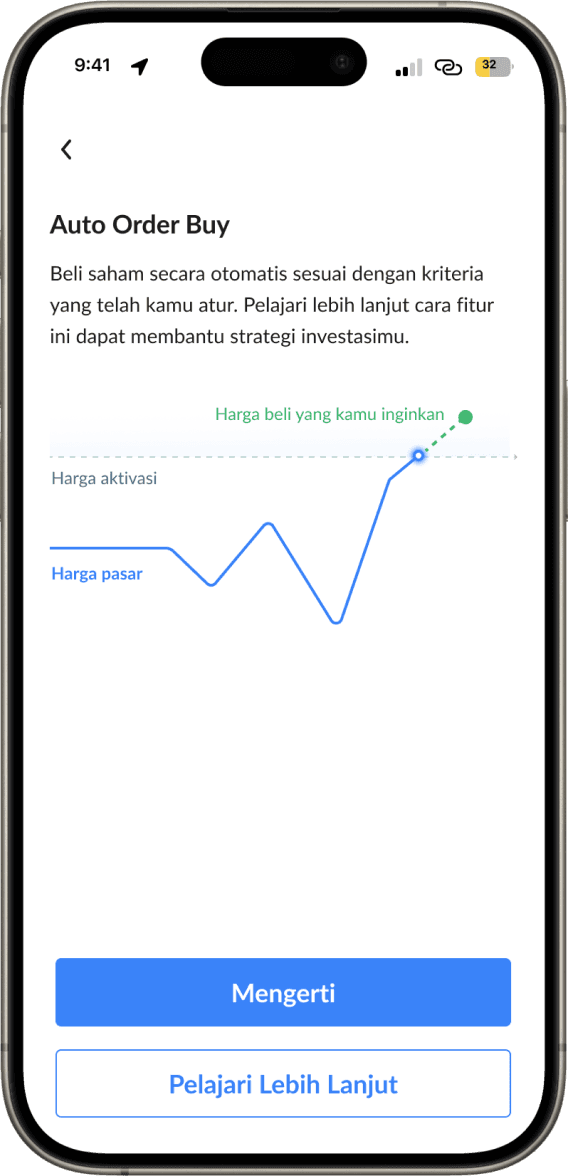
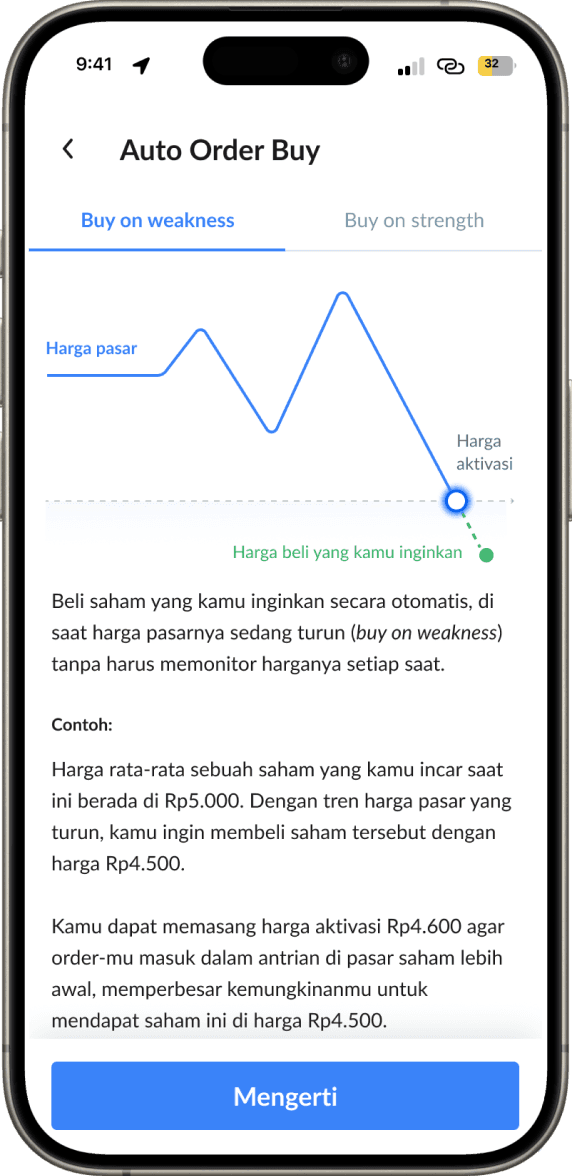
To this. Rate the glow up 🤩
Helpful guide to trade
Not just spoiling our users with an easy feature, we also want them to actually understand the logic and strategy behind auto trading. We gave them clear explanations of the terms and described the logic with scenarios.
Chapter 3. Learning
Take aways
This project taught me a lot about flexibility in crafting solutions.
- Popular patterns don't always mean the best solutions. In this project, I could have followed the same pattern other stock/crypto platforms used to implement Auto Trade, but it didn't seem to be the best solution for our users. That's why we crafted a user-centric solution based on our users' behavior.
- Data is your friend. Learn how to read your analytics; it will help you along the way. This was the first time I really utilized analytics and got good results in making design decisions.